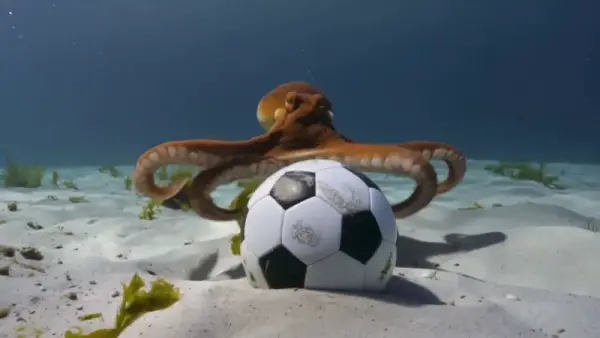
Image to Video (Result)
16:9An octopus on the sandy seafloor wrapping its arms around a soccer ball, clear blue water, realistic underwater physics


Command Palette
Search for a command to run...
bytedance/seedance-2Seedance 2.0 video generation API by ByteDance — up to 1080p with native audio and dialogue, image-to-video, and clips from 4 to 15 seconds.
An octopus on the sandy seafloor wrapping its arms around a soccer ball, clear blue water, realistic underwater physics
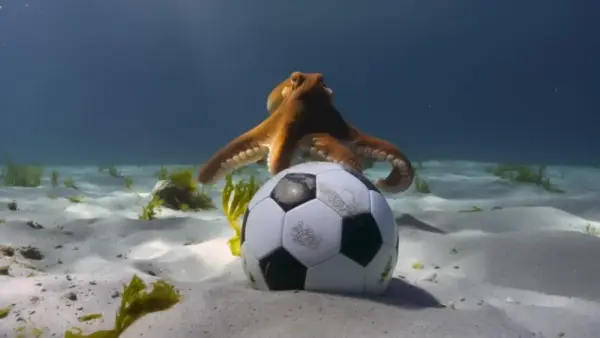
An octopus resting beside a soccer ball on the ocean floor, sunlight filtering through the water
Seedance 2.0 is ByteDance's second-generation video model, released in February 2026. It generates video with native audio — dialogue, sound effects, and ambient noise are produced alongside the visuals in a single pass, removing the need for separate audio post-production. The model powers AI video features in CapCut and Dreamina.
Product reveals and unboxing animations for e-commerce. Social media reels and short-form content with matching soundtracks. Image-to-video conversion — upload a still and animate it with motion and optional audio. Narrative clips with spoken dialogue for advertising or explainer content.
All parameters are passed in the input object of the run request.
| Parameter | Required | Description |
|---|---|---|
| prompt | Yes | Text description (3–20000 chars) |
| aspect_ratio | No | Default 16:9. Options: 1:1, 3:4, 4:3, 9:16, 16:9, 21:9 |
| resolution | No | Default 720p. Options: 480p, 720p, 1080p |
| duration | No | Video length in seconds (4–15). Default 5 |
| generate_audio | No | Generate audio track. Default false |
| image_urls | No | First frame image (max 1, max 10 MB) for image-to-video |
Seedance 2.0 responds well to cinematic direction. Phrases like "slow dolly forward," "overhead tracking shot," or "quick cut to close-up" improve coherence.
When generate_audio is enabled, the model infers audio from the scene description. Write prompts that imply sound — "rain hitting a window," "footsteps on gravel" — rather than describing the audio directly.
Short clips (4–5s) work best for single-action shots. For sequences with camera transitions or narrative beats, push toward 10–15 seconds.
Yes. Set generate_audio to true and the model produces synchronized dialogue, sound effects, and ambient audio in one pass. This adds to the per-run cost.
15 seconds. You can set any integer from 4 to 15 via the duration parameter. The default is 5 seconds.
Yes. Upload a first-frame image via image_urls and the model generates video starting from that frame.