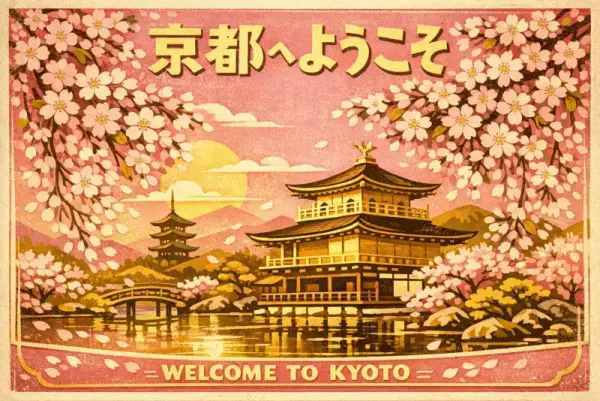
Travel Poster
3:2A vintage travel poster for Kyoto featuring cherry blossoms over a temple, Japanese text reading '京都へようこそ', retro mid-century illustration style, gold and pink palette

Command Palette
Search for a command to run...
openai/gpt-image-1.5GPT Image 1.5 image generation API by OpenAI — 4x faster than v1 with superior text rendering, 3 aspect ratios, and medium/high quality modes.
curl https://api.runbase.net/v1/runs \
  -H "Authorization: Bearer $RUNBASE_API_KEY" \
  -H "Content-Type: application/json" \
  -d '{
    "model": "openai/gpt-image-1.5",
    "input": {
      "prompt": "A cinematic product photo of a ceramic lamp",
      "aspect_ratio": "1:1",
      "resolution": "1K"
    }
}'A vintage travel poster for Kyoto featuring cherry blossoms over a temple, Japanese text reading '京都へようこそ', retro mid-century illustration style, gold and pink palette
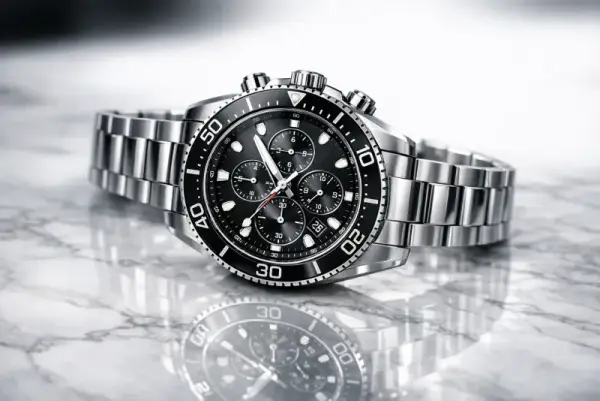
A photorealistic product shot of a luxury watch on a marble surface, studio lighting with soft reflections, shallow depth of field, magazine advertisement quality
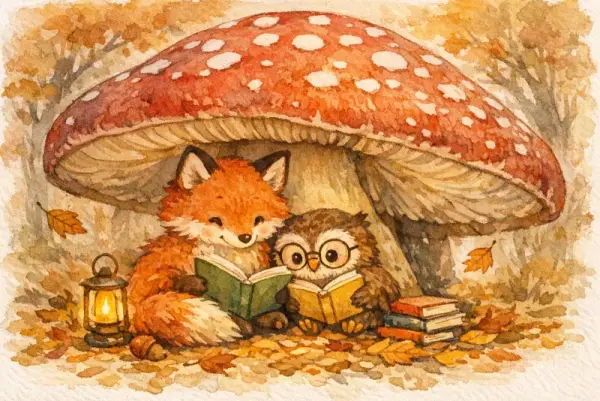
A children's book illustration of a fox and owl reading together under a giant mushroom, watercolor style, warm autumn colors, whimsical and cozy atmosphere
GPT Image 1.5 is an incremental update released in December 2025 that prioritizes speed and text accuracy. It generates images roughly 4x faster than GPT Image 1 at lower cost, making it practical for high-throughput production work. Text rendering is significantly improved — especially dense, small, or multilingual text — and editing precision is better at preserving logos and faces in reference images.
Poster and infographic design with dense embedded text. UI mockups and wireframe visualizations. High-throughput production workflows where turnaround time matters. Image editing that needs to preserve existing logos, faces, or brand elements in reference images.
All parameters are passed in the input object of the run request.
| Parameter | Required | Description |
|---|---|---|
| prompt | Yes | Text description of the image to generate (1–20000 chars) |
| aspect_ratio | No | Output aspect ratio. Default 1:1. Options: 1:1, 3:2, 2:3 |
| quality | No | Output quality. Default medium. Options: medium, high |
| image_urls | No | Up to 4 reference images (max 4 MB each) for image editing |
With a 20,000-character prompt limit, you can spell out exact text strings, font descriptions, and layout instructions. This is especially useful for poster or infographic prompts with multiple text blocks.
medium is fast and cost-effective for iteration. Switch to high for final deliverables where fidelity matters — the visual difference is most noticeable in fine detail and text sharpness.
It is roughly 4x faster, more cost-effective at medium quality, and has significantly better text rendering. It also adds a quality toggle (medium/high). Both support the same 3 aspect ratios (1:1, 3:2, 2:3).
No. Unlike GPT Image 2, there is no explicit resolution parameter. Use the quality setting (medium or high) to control output fidelity.
Yes. Upload up to 4 reference images via image_urls. The model is particularly good at preserving logos and faces during edits.