
Golden hour portrait
16:9A woman standing in a sunlit field at golden hour, wearing ornate gold jewelry, warm cinematic light.


Command Palette
Search for a command to run...
google/nano-bananaNano Banana image generation API by Google — affordable Gemini 2.5 Flash-powered model with 11 aspect ratios and up to 10 reference images.
A woman standing in a sunlit field at golden hour, wearing ornate gold jewelry, warm cinematic light.
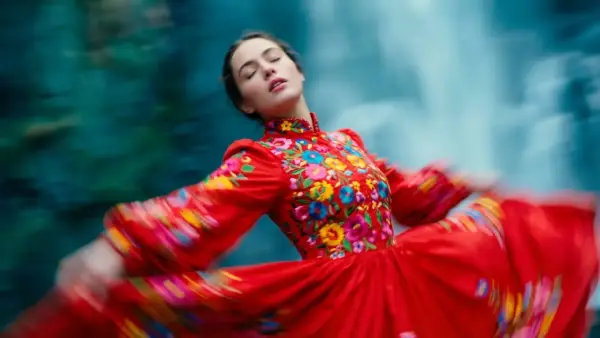
A woman spinning in a flowing red traditional dress with floral embroidery, motion blur capturing the movement.
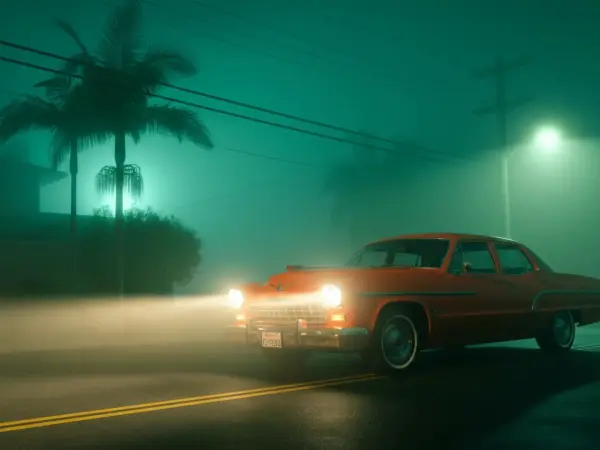
A vintage orange sedan parked on a night road, teal fog and palm trees in the background, moody atmosphere.
Nano Banana is Google's entry-level AI image generator, released in August 2025. Built on Gemini 2.5 Flash, it offers fast generation at the lowest price point in the Nano Banana family. It supports 11 aspect ratios (including auto, which lets the model choose) and up to 10 reference images at 10 MB each. There is no resolution control — the model determines output resolution automatically. The model is available through the Nano Banana API for programmatic image generation.
Quick creative exploration and concept art iteration. Social media visuals and thumbnails on a budget. Moodboards and early-stage design work. Simple image editing tasks where speed and cost matter more than pixel-level fidelity.
All parameters are passed in the input object of the run request.
| Parameter | Required | Description |
|---|---|---|
| prompt | Yes | Text description (1–5000 chars) |
| aspect_ratio | No | Output aspect ratio. Default 1:1. Supports 11 ratios including auto |
| image_urls | No | Up to 10 reference images (max 10 MB each) for image editing |
auto aspect ratio for exploratory workWhen you are not sure what ratio suits your prompt, set aspect_ratio to auto and let the model decide. This often produces better compositions than forcing a ratio that fights the subject.
Nano Banana responds well to atmospheric cues — "golden hour light," "moody fog," "high-contrast noir." These steer the overall feel more reliably than detailed layout instructions.
Eleven options: 1:1, 2:3, 3:2, 3:4, 4:3, 4:5, 5:4, 9:16, 16:9, 21:9, and auto. The default is 1:1.
No. Unlike Nano Banana 2 and Nano Banana Pro, there is no resolution parameter. The model determines output resolution automatically.
Nano Banana is the entry-level model - fastest and cheapest, built on Gemini 2.5 Flash, with 11 aspect ratios and up to 10 reference images, but no resolution control. Nano Banana 2 adds Gemini 3.1 Flash, 15 aspect ratios (including ultra-wide), 4K output, and character consistency for up to 5 characters. Nano Banana Pro uses Gemini 3 Pro for the sharpest text rendering and highest fidelity, but with higher latency and cost. Pick Nano Banana for quick, low-cost iteration; Nano Banana 2 for versatility and 4K; Nano Banana Pro for production-quality text and detail.
Nano Banana is API-first with reference-image editing, 11 aspect ratios, and pay-as-you-go pricing. Midjourney is optimized for artistic style and has a large community prompt library, but it is subscription-priced and its text rendering is less precise. Pick Nano Banana for infographics, image editing, and programmatic workflows; pick Midjourney for stylized illustration and concept art.
Both come from Google. Nano Banana exposes up to 10 reference images for guided editing and 11 aspect ratios including auto through a single API, priced per generation. Imagen 4 also produces high-quality photorealistic images. Choose Nano Banana when you need reference-image conditioning, a choice of aspect ratios, or pay-as-you-go API access.
Two ways on Runbase: use the Playground at the top of this page to generate instantly with a prompt and optional reference images, or call the API by POSTing to /api/v1/runs with model: "google/nano-banana" and an input object containing prompt (required), aspect_ratio, and up to 10 image_urls. New accounts receive free credit on signup to try it. See the API tab for full code samples.
Nano Banana is priced per generated image and is the lowest-cost model in the Nano Banana family. There is no resolution tier to choose - the model sets the output resolution. See the Pricing section above for current per-image rates.
It is pay-as-you-go rather than free, but new Runbase accounts receive free credit on signup that works toward Nano Banana and other models. Once the credit is used up, you pay per generation at the rates shown in the Pricing section.