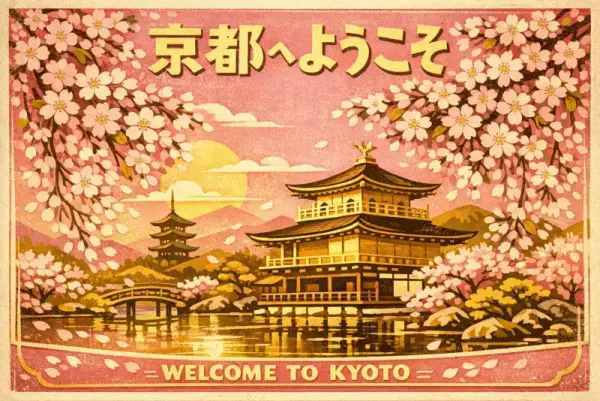
旅遊海報
3:2A vintage travel poster for Kyoto featuring cherry blossoms over a temple, Japanese text reading '京都へようこそ', retro mid-century illustration style, gold and pink palette


Command Palette
Search for a command to run...
openai/gpt-image-1.5OpenAI 的 GPT Image 1.5 圖片產生 API — 速度比 v1 快 4 倍,文字渲染更優,3 種比例,medium/high 品質模式。
curl https://api.runbase.net/v1/runs \
  -H "Authorization: Bearer $RUNBASE_API_KEY" \
  -H "Content-Type: application/json" \
  -d '{
    "model": "openai/gpt-image-1.5",
    "input": {
      "prompt": "A cinematic product photo of a ceramic lamp",
      "aspect_ratio": "1:1",
      "resolution": "1K"
    }
}'A vintage travel poster for Kyoto featuring cherry blossoms over a temple, Japanese text reading '京都へようこそ', retro mid-century illustration style, gold and pink palette
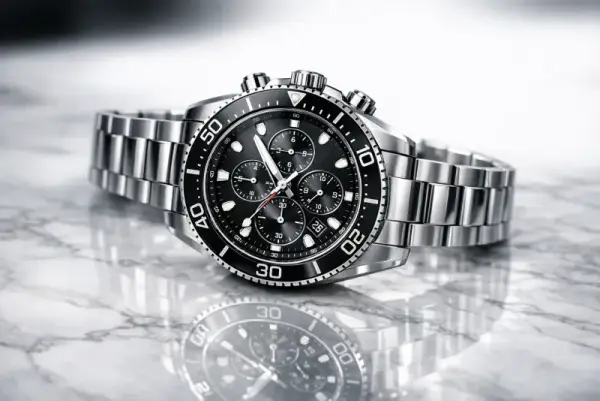
A photorealistic product shot of a luxury watch on a marble surface, studio lighting with soft reflections, shallow depth of field, magazine advertisement quality
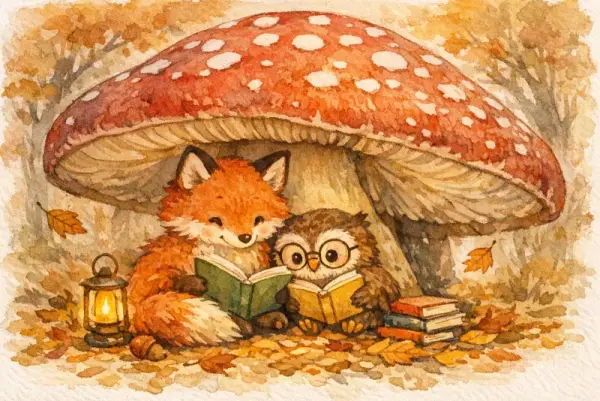
A children's book illustration of a fox and owl reading together under a giant mushroom, watercolor style, warm autumn colors, whimsical and cozy atmosphere
GPT Image 1.5 是 2025 年 12 月發布的漸進式更新,優先考量速度和文字準確度。圖片產生速度比 GPT Image 1 快約 4 倍、成本更低,適合高產量的量產工作。文字渲染有顯著改善 — 尤其是密集、小字或多語言文字 — 編輯精確度在保留參考圖片中的 Logo 和臉部方面也更好。
嵌入密集文字的海報和資訊圖表設計。UI 模型和線框圖視覺化。注重產出速度的高產量製作工作流程。需要保留現有 Logo、臉部或品牌元素的圖片編輯。
所有參數都在執行請求的 input 物件中傳遞。
| Parameter | Required | Description |
|---|---|---|
| prompt | Yes | 圖片的文字描述(1–20000 字元) |
| aspect_ratio | No | 輸出比例。預設 1:1。選項:1:1、3:2、2:3 |
| quality | No | 輸出品質。預設 medium。選項:medium、high |
| image_urls | No | 最多 4 張參考圖片(每張最大 4 MB)用於圖片編輯 |
20,000 字元的提示詞上限讓你可以完整指定確切的文字內容、字型描述和版面指令。這對包含多個文字區塊的海報或資訊圖表提示詞特別有用。
medium 快速且經濟,適合迭代。最終交付物需要保真度時切換到 high — 在細節和文字銳利度上差異最明顯。
速度快約 4 倍,medium 品質下更經濟,文字渲染顯著改善。還新增了品質切換(medium/high)。兩者支援相同的 3 種比例(1:1、3:2、2:3)。
不支援。與 GPT Image 2 不同,沒有明確的解析度參數。使用 quality 設定(medium 或 high)控制輸出保真度。
可以。透過 image_urls 上傳最多 4 張參考圖片。模型特別擅長在編輯過程中保留 Logo 和臉部。